


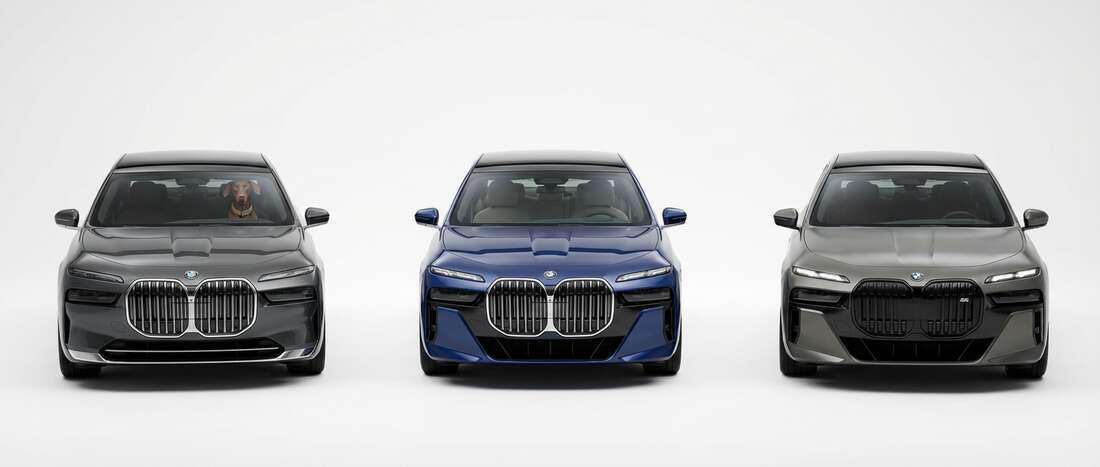
BMW i7 Touch Up Paint (19 OEM Colors)
Search for your i7's color
-

Brooklyn Gray
BMWBrooklyn Gray (C4P)
🔥 Ordered 30 times recently -

Black Saphire Metallic
BMWBlack Saphire Metallic (475)
🔥 Ordered 27 times recently -

Alpine White III
BMWAlpine White III (300)
🔥 Ordered 26 times recently -

Mineral White Metallic Tricoat
BMWMineral White Metallic Tricoat (A96)
🔥 Ordered 20 times recently -
Carbon Black Metallic
BMWCarbon Black Metallic (416)
🔥 Ordered 8 times recently -

Alpinweiss III
BMWAlpinweiss III (4090)
🔥 Ordered 7 times recently -

Black Saphir
BMWBlack Saphir (9994)
🔥 Ordered 5 times recently -

Sophisto Gray Pearl
BMWSophisto Gray Pearl (A90)
🔥 Ordered 5 times recently -

Tansanite Blue Pearl Metallic
BMWTansanite Blue Pearl Metallic (X10)
🔥 Ordered 4 times recently -

Dravite Grey Tricoat
BMWDravite Grey Tricoat (C36)
🔥 Ordered 3 times recently -

Frozen Pure Grey
BMWFrozen Pure Grey (C5A)
🔥 Ordered 1 times recently -

Oxide Grey
BMWOxide Grey (X1A)
🔥 Ordered 1 times recently -

Space Silver Effect
BMWSpace Silver Effect (C67)
🔥 Ordered 1 times recently -

Aventurine Red
BMWAventurine Red (X15)
-

Frozen Deep Grey
BMWFrozen Deep Grey (P7X)
-

Sparkling Copper Effect
BMWSparkling Copper Effect (C55)
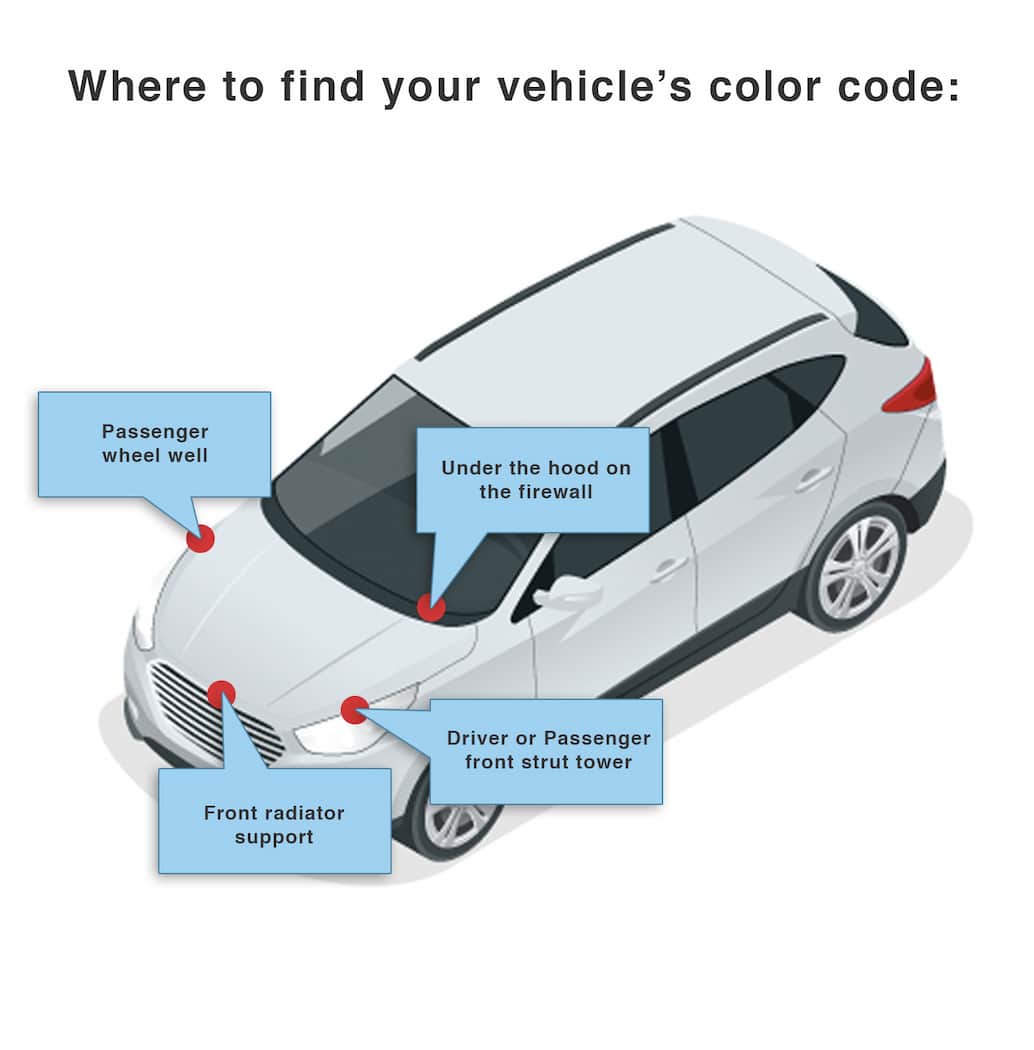
How to Find Your BMW i7's Color Code
BMW paint color codes appear in varied spots: on the firewall, on the radiator support, on the door jamb, or in the trunk. Location varies by year; a diagram under Finding Your Color Code shows where. Typical code format example: 300, which corresponds to: Alpine White III Clearcoat. Same Color Code, Different Name: the same paint can have different names across models (e.g., 300 also called White Clearcoat, Premium White Clearcoat). The code is key to correct paint.