



Hyundai Pony Excel Touch Up Paint (19 OEM Colors)
Search for your Pony Excel's color
-

Platinum Sage Metallic
HyundaiPlatinum Sage Metallic (TD)
🔥 Ordered 1 times recently -

Buckskin Beige Metallic
HyundaiBuckskin Beige Metallic (TE)
-

Carbon Blue Pearl
HyundaiCarbon Blue Pearl (UC)
-

Cream Beige
HyundaiCream Beige (CI)
-

Dark Cherry Red Pearl
HyundaiDark Cherry Red Pearl (DR)
-

Ebony Black
HyundaiEbony Black (EB)
-

Hazelnut Metallic
HyundaiHazelnut Metallic (UE)
-

Ice Blue Metallic
HyundaiIce Blue Metallic (NB)
-

Light Beige Metallic
HyundaiLight Beige Metallic (LC)
-

Super White Metallic
HyundaiSuper White Metallic (SW)
-

Dark Blue Metallic
HyundaiDark Blue Metallic (DA)
-

Graphic Metallic
HyundaiGraphic Metallic (CC)
-

Red
HyundaiRed (FR)
-

Sand Beige Metallic
HyundaiSand Beige Metallic (QG)
-

Sapphire Blue Metallic
HyundaiSapphire Blue Metallic (HB)
-

Silver Mist Metallic
HyundaiSilver Mist Metallic (SS)
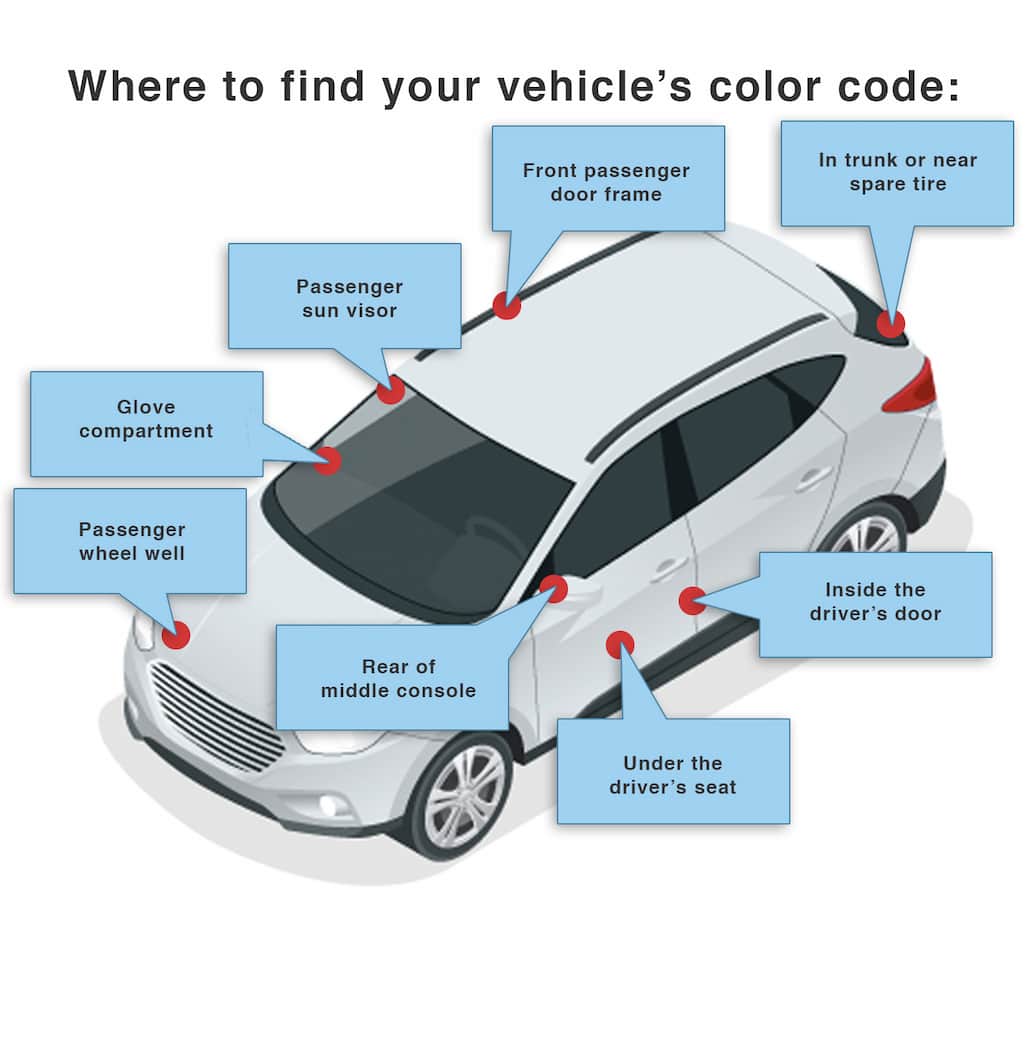
How to Find Your Hyundai Pony Excel's Color Code
Hyundai paint codes are normally on the drivers door jamb; some models hide the color code in the engine compartment. Typical format: 3E which corresponds to: Blue Onyx Metallic Clearcoat. Some later Hyundais use a three character code. A paint can be S3; this is actually the same as S3B. Same color code, different name: the same paint may be used across models, e.g., 3E as Blue Onyx Metallic Clearcoat, Blue Clearcoat, or Ocean Blue Clearcoat.